
Is a Copilot+ PC Worth It in the UAE? Snapdragon vs Intel in 2026
10 September 2026 · Ahmad Nedam
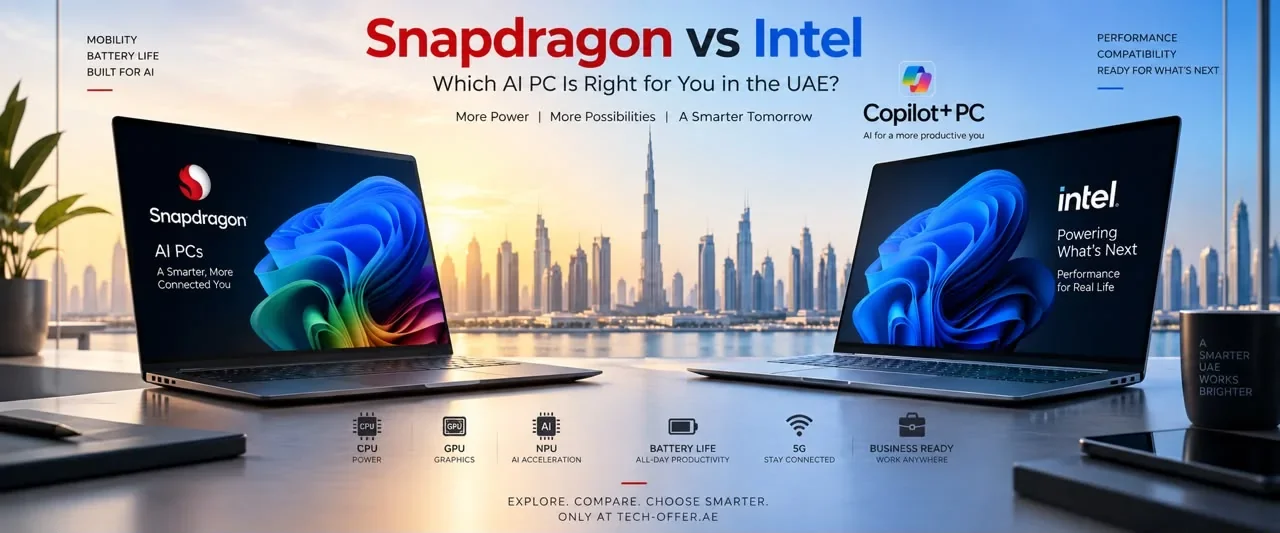
Walk into any electronics shop in Dubai and half the laptops now carry an AI badge. Copilot+ PC, AI PC, NPU, TOPS, Snapdragon, Core Ultra. Almost nobody explains what any of it buys you, or the one question underneath it that actually changes your decision.
That question is this: some Copilot+ laptops use a completely different kind of processor from the machine you own now. It matters, though far less than it did two years ago. This guide covers what the label really means, whether your software will run, and which machine makes sense at each budget — with the four Copilot+ laptops we stock in the UAE, their prices, and honest advice on when not to buy one.
The short answer
Yes, a Copilot+ PC is worth buying in 2026 — but buy it for the battery life and the quiet, not the AI features. The AI is a genuine bonus most people use occasionally. All-day battery is something you feel every single day.
On the Snapdragon question: compatibility is no longer the problem it was in 2024. Mainstream software runs. What still breaks is specific — specialist hardware drivers, some kernel-level game anti-cheat, and a handful of engineering applications. If none of those describe you, a Snapdragon machine is an excellent buy and the cheapest way into Copilot+. If one of them does, take an Intel Copilot+ machine instead. We stock both.
The cheapest way in is the ASUS Vivobook 16 X1607QA at AED 2,199. The safest all-round choice is the Vivobook 14 Flip at AED 3,850 on Intel. The most portable is the Surface Pro Copilot+ at AED 6,100.
What actually makes a laptop a “Copilot+ PC”
It is a hardware standard set by Microsoft, not a marketing word. To carry the label a machine needs a neural processing unit — an NPU — rated at 40 TOPS or more, with 16GB of RAM and 256GB of storage as the practical floor.
An NPU is a third processor sitting alongside the CPU and graphics. It handles AI work at very low power. That is the whole point: things that would previously have drained your battery, or been sent to a server, now run locally and cheaply.
Three processor families qualify today:
- Qualcomm Snapdragon X — X, X Plus, X Elite and the newer X2 generation. These are ARM processors, a different architecture from traditional Windows laptops.
- Intel Core Ultra 200V series — the chips previously known as Lunar Lake. Standard x86, so everything behaves exactly as you are used to.
- AMD Ryzen AI 300 series — also x86.
This is the single most useful thing to understand before you shop: Copilot+ is not one kind of machine. Two laptops with the same badge can have fundamentally different processors inside. The badge does not tell you which.
AI laptop, AI PC or Copilot+ PC — what is the difference?
These three terms get used as though they mean the same thing. They do not, and the difference costs money.
“AI laptop” and “AI PC” are marketing descriptions. Any manufacturer can print them on a box. There is no minimum standard behind either phrase, so a laptop advertised as an AI laptop in Dubai might have a weak NPU, or none worth the name.
“Copilot+ PC” is a defined standard. 40 TOPS or more, 16GB of RAM, 256GB of storage. A machine either meets it or it does not, and only machines that meet it get the Copilot+ features.
So when you are comparing AI laptops in the UAE, ignore the sticker and look for two numbers on the specification sheet: the NPU rating in TOPS and the amount of RAM. Everything below 40 TOPS is an ordinary laptop with an AI label. Our Copilot+ range lists the NPU figure on every product page for exactly this reason.
What you actually get for it
The Copilot+ features are useful and not life-changing. Being honest about that helps more than the marketing does.
- Live Captions with translation — real-time subtitles on any audio playing on the machine, translated into English from dozens of languages including Arabic, Hindi, Urdu, Tagalog and Malayalam. On a Teams call with a supplier, or a recorded meeting you half-followed, it is genuinely useful. In a workplace as multilingual as the UAE, this is the Copilot+ feature that earns its keep faster than any other — and it runs on the NPU, so it costs you almost no battery.
- Studio Effects — background blur, eye-contact correction and auto-framing on video calls, run by the NPU instead of your processor. Calls stay smooth, fans stay quiet.
- Cocreator — AI image generation and editing running locally in Paint and Photos.
- Recall — a searchable timeline of what has been on your screen. Useful, and worth a moment's thought: it works by taking periodic snapshots locally. It is off by default and can stay off. If you handle client, legal or medical data, read how it works and decide deliberately.
- Auto Super Resolution — upscaling in supported games.
None of these justify replacing a laptop that still works. All of them are a fair bonus on a machine you were buying anyway.
Snapdragon or Intel? This is the real decision
Both are true Copilot+ PCs with identical AI features. They differ in two things, and the trade is genuine rather than one being better.
Snapdragon X machines are ARM-based. They deliver outstanding battery life, run cool, and are often silent because many have no fan. The trade is that Windows software written for traditional processors has to be translated to run, through Microsoft's emulation layer called Prism.
Intel Core Ultra 200V machines are standard x86. Every Windows application, driver and peripheral behaves exactly as it does on the laptop you already own. Battery life is very good, though generally not at Snapdragon levels.
The NPU is not the reason to choose between them
This is worth saying plainly, because every shop leads with it. The NPU in a Snapdragon X machine is rated at 45 TOPS. The NPU in an Intel Core Ultra 7 258V is rated at 47 TOPS. Two apart, on a scale where both comfortably clear Microsoft's 40 TOPS bar.
You will not feel that difference. Both run the same Copilot+ features, at the same quality, with the same responsiveness. Anyone selling you one over the other on TOPS alone is selling you a number rather than an outcome.
The real decision is the one below: battery life against software compatibility. That gap is large and you will feel it every day. The NPU gap is a rounding error.
| What matters to you | Better choice |
|---|---|
| Battery life and silence | Snapdragon |
| Lowest price into Copilot+ | Snapdragon |
| Microsoft 365, email, browser work | Either |
| Windows AI features | Either — identical |
| Specialist or legacy software | Intel |
| Unusual printers, scanners, docks | Intel |
| Company VPN or management tools | Intel |
| Serious gaming or 3D work | Neither — buy a gaming laptop |
Will your software run? The honest 2026 answer
Compatibility was a real problem when these machines launched in 2024. It is largely not one now, and pretending otherwise would be as unhelpful as pretending it never was.
Independent testing through 2026 found mainstream software running on ARM Windows, much of it natively. Microsoft Office, Chrome, Edge, Firefox, Slack, Adobe Acrobat and major VPN clients all work. So do VLC, Audacity, Adobe Premiere, After Effects and Cinema 4D. Steam works, and so do Fortnite and World of Warcraft. AutoCAD runs under emulation despite having no official ARM support.
Microsoft also rebuilt the Prism emulation layer in Windows 11 24H2, adding support for AVX and AVX2 instructions, which fixed a large group of applications that previously refused to start at all.
So what genuinely still breaks? Four things, and they are specific rather than general:
- Hardware drivers with no ARM64 version. The biggest remaining gap. Specialist peripherals — certain printers, scanners, audio interfaces, lab and medical equipment, some older docking stations — may simply have no driver.
- Kernel-level anti-cheat. Some competitive multiplayer games use anti-cheat that assumes deep system access. Many games work; a handful will refuse to launch.
- Bespoke business applications. Older or custom software written for one company needs checking individually. Nobody can tell you in advance whether your firm's twelve-year-old inventory system will run.
- Emulation overhead. Translated applications run with a performance cost, most noticeable in GPU-heavy work.
Notice what these have in common. None affects a student, an office worker, a writer, or someone who mostly lives in a browser. All of them affect professionals with specialised equipment or specialised software.
Who should not buy a Snapdragon machine
Choose an Intel Copilot+ PC instead, without hesitation, if any of these apply:
- You depend on specialist hardware — a particular printer, plotter, scanner, audio interface or measurement device.
- You use engineering or scientific software such as Solidworks or MATLAB, where some features remain only partly supported.
- Your company uses a bespoke application, VPN or device-management tool nobody can test in advance.
- You play competitive multiplayer games with kernel-level anti-cheat and cannot risk one not launching.
- You simply do not want to think about it. That is a completely legitimate reason, and it costs you nothing but a little battery life.
If none of these describe you — and for most buyers none do — the Snapdragon machines are excellent, and the battery life is a genuinely different experience.
Battery life: the reason people actually keep them
Everything above is about risk. This is the reward, and it is the part shops undersell.
A Snapdragon Copilot+ machine will typically run a full working day on one charge doing ordinary work, and often longer. Many are fanless, so they stay silent under normal load and cool on your lap. If you commute on the Metro, work from cafés, take a laptop to lectures or travel regularly, that changes how you use the machine. You stop carrying the charger, and you stop planning your day around finding a socket.
The Intel Core Ultra 200V machines are also a large improvement on older laptops. For most people the difference between the two is a matter of degree rather than kind.
The Copilot+ laptops we stock in the UAE
All four are in stock today. Prices include 5% VAT and free delivery over AED 1,000 across the Emirates, and were checked on 10 September 2026.
Laptop prices in Dubai move week to week, and stock does too. The figures below are what we were selling at on the date above — open the category page for what is available and what it costs right now.
| Machine | Processor | NPU | RAM / SSD | Price |
|---|---|---|---|---|
| ASUS Vivobook 16 X1607QA 16″ WUXGA | Snapdragon X X1-26-100 | 45 TOPS | 16GB / 1TB | AED 2,199 |
| ASUS Vivobook 14 Flip TP3407SA 14″ convertible, touch | Intel Core Ultra 7 256V | Copilot+ | 16GB / 1TB | AED 3,850 |
| ASUS Vivobook 16 Flip TP3607 16″ convertible, touch | Intel Core Ultra 7 258V | Copilot+ | 32GB / 1TB | AED 5,100 |
| Microsoft Surface Pro Copilot+ 2-in-1, keyboard + pen included | Snapdragon X Elite | Copilot+ | 16GB / 1TB | AED 6,100 |
Two things worth pointing out in that table.
The Vivobook 16 at AED 2,199 is an unusually cheap way into Copilot+. A 45 TOPS NPU, 16GB of memory and a 1TB drive at that price is more machine than most people expect, and it comfortably clears Microsoft's bar. If your work is Office, email, Teams and a browser, it is the value pick of the whole category in the UAE.
The Surface Pro at AED 6,100 includes the Surface Pro Keyboard and Surface Pen. Those are frequently sold separately elsewhere, which makes some competing prices look lower than they really are. Compare the complete setup, not the tablet alone.
Which one should you buy?
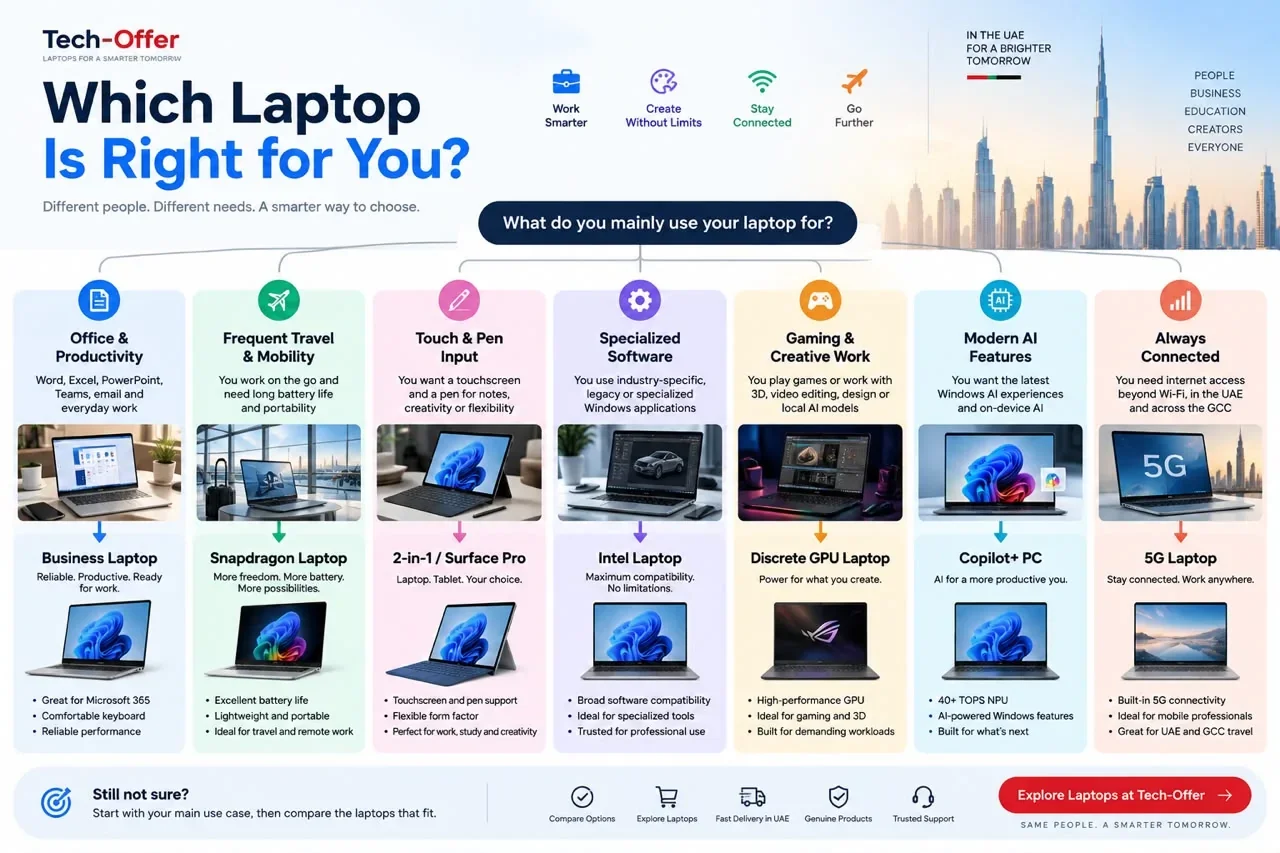
- Student, or general home and office use on a budget — the Vivobook 16 X1607QA at AED 2,199. Big 16″ screen, all-day battery, silent. Check the compatibility list above first, since it is Snapdragon.
- You want a machine that will run absolutely anything — the Vivobook 14 Flip at AED 3,850. Intel Core Ultra, so no compatibility question arises at all, in a compact convertible with touch.
- Heavy multitasking, or creative work — the Vivobook 16 Flip at AED 5,100. The 32GB of memory is the reason to choose it, and the larger screen suits editing.
- Maximum portability, note-taking, travel — the Surface Pro Copilot+ at AED 6,100. Tablet when you want one, laptop when you need one, best battery life here, pen included.
- Gaming, 3D or heavy local AI models — none of these. Copilot+ machines use integrated graphics. You want a discrete GPU, which means a gaming laptop.
The memory decision is permanent — check this before you buy
This catches people out and almost nobody mentions it in a shop.
On Intel's Core Ultra 200V chips, the memory is not a stick you can swap. It sits on the processor package itself. There is no slot, no panel, no upgrade path. A 16GB machine is a 16GB machine for its entire life. The same is true of the Snapdragon machines and of thin-and-light laptops generally.
So the RAM you choose at the checkout is the RAM you own in four years. That changes how the decision should feel:
- 16GB is genuinely enough for Office, email, Teams, a browser with plenty of tabs, and everyday work. Most people should not pay more.
- Choose 32GB now if you edit video, run virtual machines, work with large datasets, or keep heavy applications open all day. In our range the only 32GB Copilot+ machine is the Vivobook 16 Flip at AED 5,100.
- Do not buy 32GB “just in case” if your work is documents and a browser. That is money spent on a specification you will never reach.
If you are genuinely unsure which side of that line you fall on, open Task Manager on your current laptop, work a normal day, then check the peak memory figure. If you never passed about 10GB, 16GB is plenty.
2-in-1 or traditional laptop?
Three of the four machines above are convertibles or tablets. Worth being honest about who that suits.
A pen and touchscreen are genuinely useful if you annotate PDFs, take handwritten notes, sketch, sign documents, teach, or present standing up. If that is you, the flexibility is worth paying for and the Surface Pro is built around exactly that idea.
They are not worth paying for if your laptop lives on a desk and your hands never leave the keyboard. A traditional laptop is more comfortable for long typing sessions, and the money is better spent on memory or storage. The most flexible device is not automatically the most comfortable one.
Do you even need an AI laptop?
A fair question, and for many people the answer is no.
If your day is Word, email, browsing, YouTube, basic Excel, PowerPoint and Teams, a good conventional laptop already handles all of it. You do not need to pay a premium for AI hardware you will rarely touch, and we would rather tell you that than sell you something you do not need.
Where Copilot+ earns its place is the combination — efficiency, battery life, quiet operation and modern Windows features in one thin machine. Buy it for that. Not for a sticker.
What to check before buying a Copilot+ PC in the UAE

- Which processor is inside? Snapdragon, Intel or AMD. The Copilot+ badge does not tell you, and it is the most important question.
- Do you rely on any specialist hardware or software? If yes, check it before choosing ARM — or choose Intel and stop worrying.
- Is there at least 16GB of RAM? It is part of the standard, and it is the right amount regardless. Memory is usually soldered on thin laptops, so buy what you need at purchase.
- Is the warranty valid in the UAE, and who services it? A regional or import warranty you cannot claim in Dubai is worth far less than the saving suggests.
- Is Windows included and properly licensed?
- For a Surface, are the keyboard and pen included? They are often sold separately, which makes price comparisons misleading.
- Does the price include VAT and delivery? Ours include both.
Buying in Dubai to take home to the GCC
We deliver free across the UAE. If you are visiting Dubai from Saudi Arabia, Qatar, Kuwait, Bahrain or Oman and buying a laptop to take home, a few practical checks are worth making before you pay — and they apply wherever you buy, not just with us.
- Warranty across borders. Confirm whether the manufacturer's warranty is serviceable in your country or only in the UAE. Most major brands operate regionally, but it is worth asking rather than assuming.
- Keyboard layout. UAE stock is normally English, sometimes English/Arabic. If you need a specific layout, check before buying — it cannot be changed later.
- Charger and plug. UAE uses the UK-style three-pin plug. Most of the GCC uses the same, but confirm for your country.
- Customs allowance. A personal laptop is normally fine, but each country sets its own limits on goods brought in.
Being straight with you: our free delivery over AED 1,000 covers the Emirates only, so if you are not travelling to the UAE, buy locally where your warranty is easiest to claim. A slightly lower price is no bargain if a repair means shipping the machine to another country.
Frequently asked questions
Is a Copilot+ PC worth buying in 2026?
Yes, if you were buying a laptop anyway. Buy it for the battery life and quiet operation rather than the AI features — those are a useful bonus most people use occasionally, while all-day battery is something you notice daily. A Copilot+ PC is not a reason to replace a laptop that still works.
What makes a laptop a Copilot+ PC?
A Microsoft hardware standard: a neural processing unit rated at 40 TOPS or more, with 16GB of RAM and 256GB of storage as the practical minimum. Qualifying processors include Qualcomm Snapdragon X, Intel Core Ultra 200V series and AMD Ryzen AI 300 series.
How much does a Copilot+ PC cost in the UAE?
Copilot+ laptops start at AED 2,199 in the UAE, for the ASUS Vivobook 16 X1607QA with a Snapdragon X processor, 45 TOPS NPU, 16GB of RAM and a 1TB SSD. Intel-based convertibles run from AED 3,850, and the Surface Pro Copilot+ with keyboard and pen included is AED 6,100. All prices include 5% VAT and free UAE delivery over AED 1,000.
Will all my software run on a Snapdragon laptop?
Most of it, yes. Testing through 2026 found Office, Chrome, Edge, Firefox, Slack, Acrobat, VPN clients, VLC, Audacity, Premiere, After Effects, Cinema 4D and Steam all working, much of it natively. What still fails is specific: hardware drivers with no ARM64 version, some kernel-level game anti-cheat, bespoke legacy business applications, and partial support in engineering software such as Solidworks and MATLAB.
What is the difference between a Snapdragon and an Intel Copilot+ PC?
Snapdragon machines use ARM processors and deliver the best battery life, often silently, but translate traditional Windows software through an emulation layer. Intel Core Ultra 200V machines use standard x86, so everything runs exactly as on any other Windows laptop, with very good but usually slightly shorter battery life. Both have identical Copilot+ AI features.
Is Windows on ARM still a problem in 2026?
Far less than it was. Microsoft rebuilt its Prism emulation layer in Windows 11 24H2 and added AVX and AVX2 support, which fixed a large group of applications that previously would not start. The remaining gaps are specific rather than systemic: drivers, kernel-level software, and some specialised professional applications.
Is an AI PC the same as a Copilot+ PC?
No. “AI PC” is a loose marketing description for any computer with hardware that can accelerate AI work. “Copilot+ PC” is a defined Microsoft category with a minimum 40 TOPS NPU and access to Copilot+ features. A laptop can be advertised as an AI laptop without qualifying as a Copilot+ PC, so check the specification rather than the sticker.
Is Snapdragon good for Microsoft Office?
Yes. Word, Excel, PowerPoint, Outlook, Teams and browser-based work all run well on modern Snapdragon Windows laptops, much of it natively. Where to be careful is specialised Excel add-ins or older Office plug-ins, which should be checked individually.
Is Snapdragon good for business use?
For cloud-first work — Microsoft 365, Teams, email, browser applications, travel — it is excellent, and the battery life suits people who work between meetings. The thing to verify first is your company's VPN, device-management tools and any bespoke internal software, since those are the most common ARM compatibility problems.
Can you play games on a Copilot+ PC?
Casual and older games, yes — Steam works, and titles including Fortnite and World of Warcraft run on ARM machines. But none of these are gaming laptops: they use integrated graphics. For serious gaming you want a dedicated graphics card, which means a gaming laptop rather than a Copilot+ thin-and-light.
What is Recall and is it safe?
Recall is a searchable timeline of what has been on your screen, built by taking periodic snapshots locally on the device. It is turned off by default and can remain off. If you handle client, legal or medical information, read how it works and decide deliberately rather than enabling it because it is there.
Do I need 16GB or 32GB of RAM?
16GB is the Copilot+ minimum and enough for Office, browsing, Teams and everyday productivity. Choose 32GB if you edit video, run virtual machines, work with large datasets, or keep very many applications open at once. Memory is usually soldered on thin laptops, so buy what you need at purchase — the 32GB Vivobook 16 Flip at AED 5,100 is the configuration for that.
Do Copilot+ features work without an internet connection?
Many do. The point of the NPU is that AI work runs locally on the device rather than on a server, which is why features such as Live Captions and Studio Effects work offline and without draining the battery. Some Copilot features that reach out to online services still need a connection.
Is the Surface Pro Copilot+ worth it?
If portability matters most to you, yes. It is a tablet and a laptop in one, with the best battery life of anything here, and our AED 6,100 price includes the keyboard and pen — often sold separately elsewhere. Confirm your specialist software and hardware first, since it uses a Snapdragon processor.
Is a touchscreen or pen worth paying for?
Yes if you annotate PDFs, take handwritten notes, sketch, sign documents or present standing up. No if your laptop lives on a desk and your hands stay on the keyboard — in that case a traditional laptop is more comfortable and the money is better spent on memory or storage.
Do these laptops come with a UAE warranty?
Yes. Every laptop we sell carries warranty valid in the UAE, ships with licensed Windows 11, and is delivered free across the Emirates. Prices shown include 5% VAT.
Final thoughts
The Copilot+ label answers a smaller question than the marketing suggests. It tells you a machine has a capable NPU and at least 16GB of RAM. It does not tell you the thing that actually matters, which is what kind of processor is inside.
Ask that first. If you are a student, an office worker, or someone who lives in a browser and a few mainstream applications, a Snapdragon machine gives you a working day of battery, near-silence, and no problems you will ever notice — and at AED 2,199 it is the cheapest genuine Copilot+ PC in the UAE. If you depend on specialist hardware, engineering software or a bespoke company application, take an Intel Core Ultra machine and enjoy exactly the same AI features without ever thinking about compatibility.
And if you only need Word, Excel, email and Teams, do not let anyone convince you that you need more computer than you actually use.
All four are in stock in Dubai with UAE warranty and free delivery over AED 1,000. See them on our laptops page and Microsoft Surface page — and if you are unsure whether a particular application will run on ARM, ask us before you buy rather than after.
How we put this guide together
TechOffer is an electronics retailer in Bur Dubai. We sell every laptop named on this page, which is the reason we can quote real prices and real stock rather than general advice.
The specifications and prices here were read from our own product pages on 10 September 2026. The compatibility section is based on independent testing of Windows on ARM published through 2026, not on our own opinion — and where something is still unresolved, such as whether a specific company application will run, we have said so rather than guessed.
If you find anything on this page that is out of date, tell us and we will correct it. A guide that quietly goes stale is worse than no guide at all. We review this page every quarter and after any significant price change, and the date above is updated when we do.
Have a Question?
Have a question about this article or something related to the topic? Feel free to ask. We will do our best to help.