
How to Compare Laptop Prices in Dubai: What You're Really Getting for Your Money
24 September 2026 · Ahmad Nedam

Finding a laptop at a good price in Dubai isn't particularly difficult.
The harder part is figuring out whether you're actually getting a good deal.
You may come across two laptops that look almost identical, have very similar names, and yet differ in price by hundreds of dirhams. At first glance, the cheaper one seems like the obvious choice.
But laptop shopping isn't quite that simple.
A small difference in the processor, RAM, SSD, display, operating system, warranty, regional configuration, or even what's included in the box can change the real value of a laptop.
So instead of asking only "Which laptop is cheaper?", a better question is:
Are these really the same laptop, and if they're not, what am I getting for the difference?
Here's a practical way to compare laptop prices in Dubai without getting caught by the headline price.
1. Start With the Exact Model, Not Just the Name
This is probably the most important step.
Laptop manufacturers rarely sell just one configuration of a particular model. A single laptop family can have several processors, graphics options, memory combinations, storage capacities, displays, and operating systems.
That's why searching for something like "Dell XPS 14" or "ASUS Vivobook 15" isn't enough. You need to find the complete model number or SKU.
Think of it this way:
Brand → Series → Model → Exact Configuration
Two laptops can belong to the same family and still be quite different machines. Before you compare the price, compare the exact model. It can save you from what looks like a great deal turning into a disappointing purchase.
2. Put the Two Offers Side by Side
Let's say you find two listings:
- Laptop A — AED 4,199
- Laptop B — AED 4,499
The first reaction is usually: "Why pay AED 300 more?"
Don't make that decision yet. Instead, compare them line by line:
- Exact model / SKU
- Processor
- Graphics
- RAM and RAM configuration
- SSD and storage expansion
- Display
- Operating system
- Keyboard layout
- Warranty
- VAT
- Included accessories
- Return conditions
- Final price
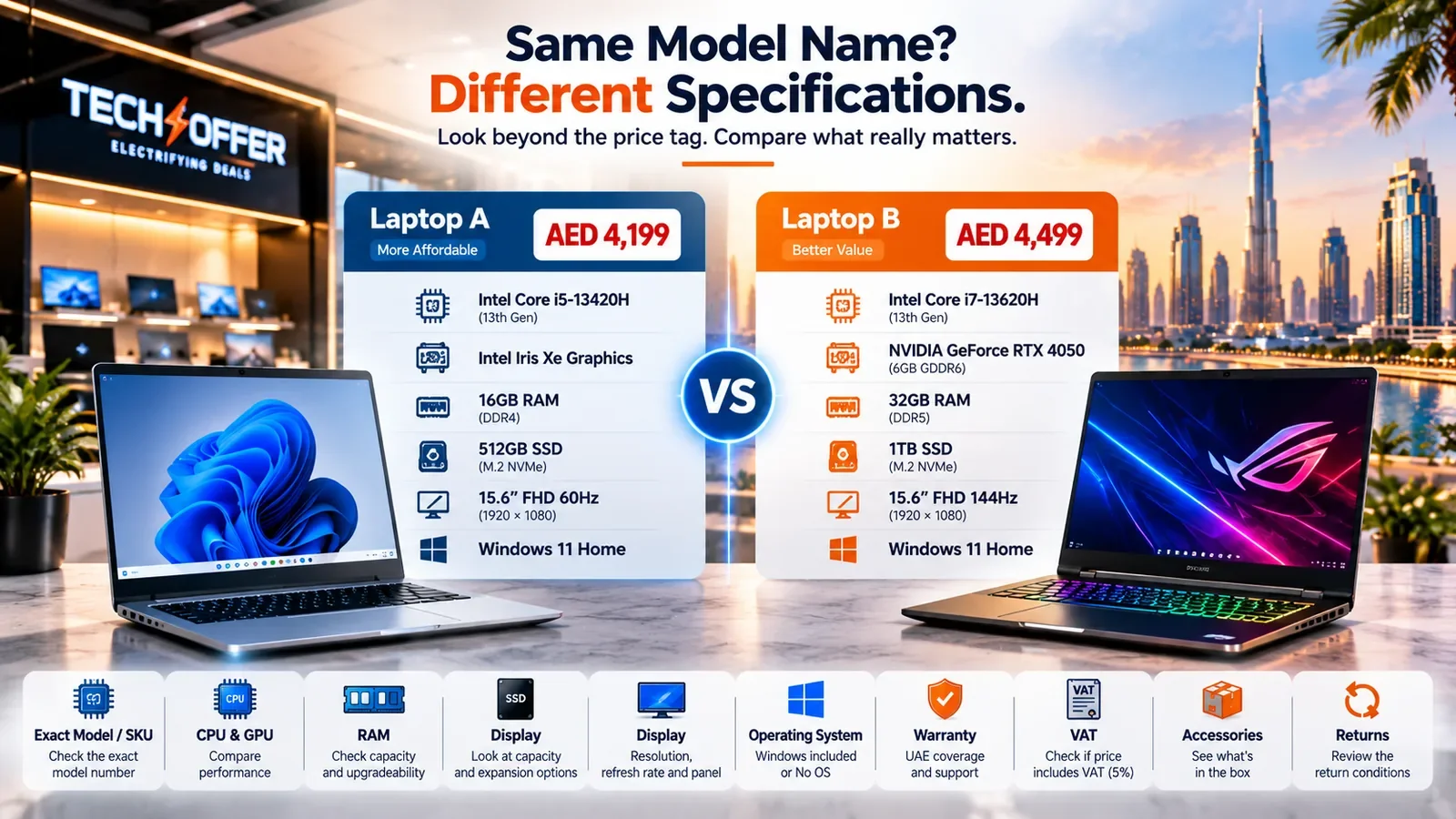
If most of those details match, the AED 300 difference becomes meaningful.
If several of them are different, you're not really comparing two prices for the same thing. You're comparing two different packages.
3. Don't Let the Processor Name Make the Decision for You
Processor names can be misleading if you look at them without context. A newer or higher-tier CPU isn't automatically the right choice for every buyer.
Someone who mainly uses Microsoft Office, email, web applications and video calls has very different requirements from someone compiling large software projects, editing video or running virtual machines.
Gaming changes the equation again, because the graphics processor can have a much larger influence on performance.
The better question isn't "Which CPU has the bigger number?" It's "What kind of work will this laptop actually do?" That question usually leads to a much more sensible purchase.
If the answer is office work, our buying guides go into what actually matters for that kind of use.
4. For Gaming Laptops, Check the GPU First
Gaming laptops are particularly easy to compare incorrectly. Two machines can both be advertised as gaming laptops while having completely different graphics performance.
When comparing them, look at the complete combination:
- GPU and VRAM
- CPU
- Cooling
- RAM
- Display
- Storage
A stronger GPU paired with an appropriate display can make a much bigger difference to a gamer's experience than a small CPU upgrade.
The same principle applies to creative work. A laptop designed for video editing, 3D work or other GPU-heavy applications needs to be evaluated as a complete system rather than by processor name alone. The important question is what the machine can actually do for your workload.
5. 16GB RAM Doesn't Tell the Whole Story
You'll see a lot of laptops advertised with 16GB of RAM. That's useful information, but it doesn't answer everything.
The next question should be: "Can I upgrade it later?"
Some laptops use removable memory modules. Others have RAM soldered directly to the motherboard. That difference matters.
If you're planning to keep a laptop for several years, upgradeability gives you flexibility later. A machine with 16GB today isn't necessarily equivalent to another 16GB machine if one can be expanded and the other cannot.
So when comparing two listings, check both RAM capacity and RAM upgradeability. Don't assume one from the other.
6. The Same Thing Applies to SSD Storage
A 512GB SSD may be perfectly comfortable for one person and frustratingly small for another.
If you install large games, keep video projects locally, work with large datasets, or simply prefer keeping everything on the laptop, storage can disappear quickly.
But capacity isn't the only consideration. Check whether the laptop allows:
- SSD replacement
- A second M.2 drive
- Additional storage
- A future storage upgrade

A laptop with 512GB today may be a perfectly good purchase if it has an easy expansion path. Another laptop with 1TB may be less flexible if the storage options are limited.
Again, the number on the product page isn't the whole story.
7. Take a Proper Look at the Display
Display specifications are often overlooked because shoppers naturally focus on CPU, RAM and storage. That's a mistake. The screen is the part of the laptop you'll be looking at every day.
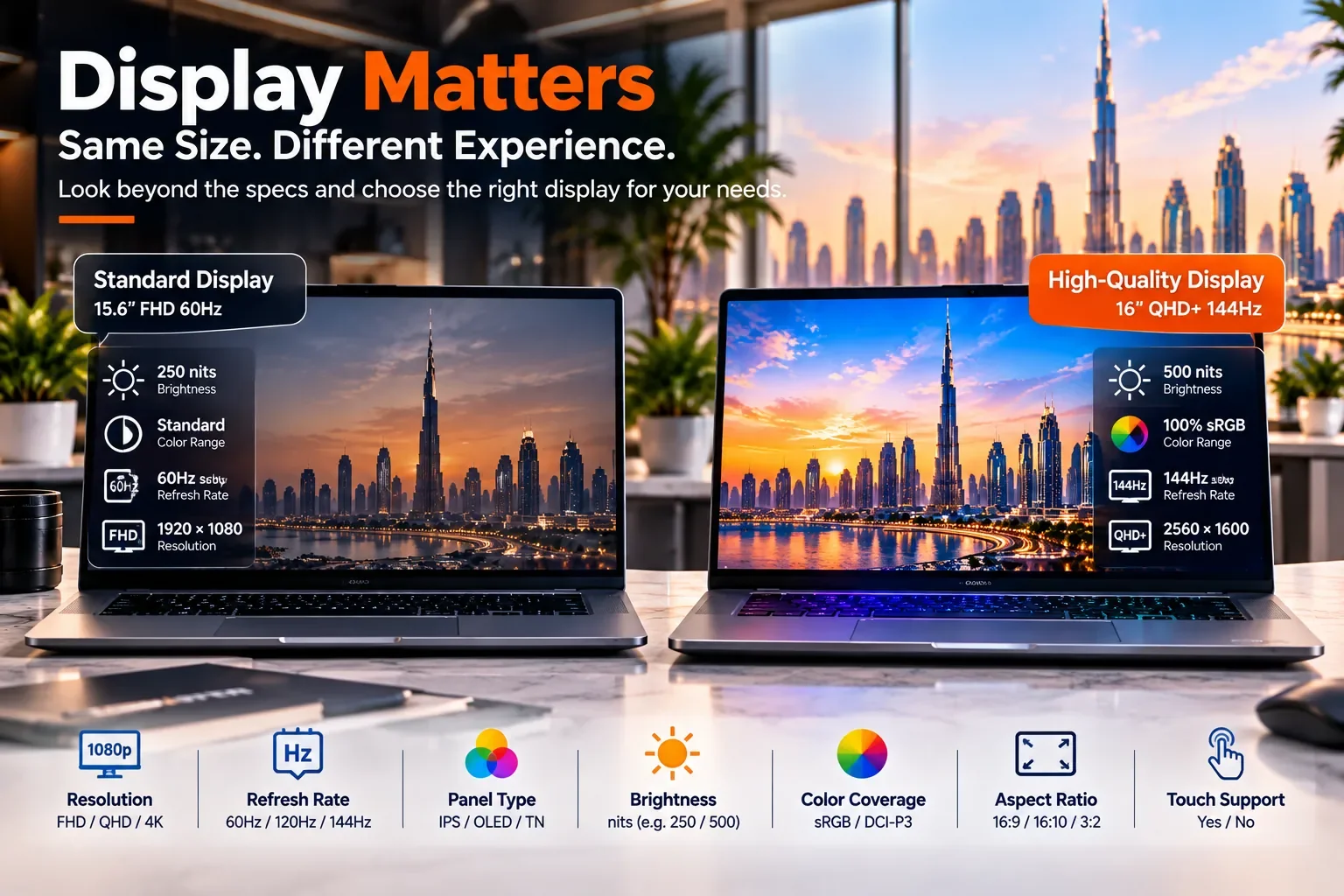
When comparing two models, check:
- Resolution
- Refresh rate
- Panel type
- Brightness
- Colour coverage
- Aspect ratio
- Touch support, if relevant
A 16-inch 60Hz display and a 16-inch high-refresh display are not necessarily comparable experiences.
A gamer may care strongly about refresh rate. A designer or video editor may care more about colour reproduction and resolution. Someone working with documents all day may simply want a bright, comfortable screen.
The right display is the one that matches the way you'll use the laptop.
8. Check the Operating System
This is another detail that can make two prices look closer than they really are.
Some laptops are sold with Windows already installed. Others may be listed as No OS. If two machines have similar hardware but only one includes Windows, don't treat their prices as identical offers.
Always check whether the listing says Windows 11 Home, Windows 11 Pro, No OS, or another configuration. It's a small line in the specification sheet, but it matters when you're calculating the actual cost of getting the laptop ready to use.
9. Pay Attention to the Regional Configuration
Buying a laptop in Dubai doesn't automatically mean every listing has exactly the same regional configuration. Check the details that are easy to overlook.
Keyboard layout is one example. The charger is another. Then there's the warranty.
A seller may describe a product as an international version, imported model, UAE version, or something similar. Those labels alone don't tell you everything you need to know. Before buying, find out:
- Who provides the warranty?
- Where can the laptop be serviced?
- Is the warranty valid in the UAE?
- How long does the coverage last?
- Are there any model-specific conditions?
The exact answer can vary by manufacturer and product, so don't rely on a general assumption.
10. Why Warranty Should Be Part of Your Price Comparison
Imagine this:
- Laptop A — AED 4,099
- Laptop B — AED 4,299
The difference is only AED 200. If both machines are genuinely identical and have the same warranty and purchase conditions, the cheaper one is obviously worth serious consideration.
But what if the warranty arrangements are different? Now that AED 200 represents something more than just a price difference.
This doesn't mean the cheaper laptop is necessarily a bad purchase. It means you need to understand what you're getting. A laptop is an expensive piece of electronics. If something goes wrong, knowing who handles the warranty and where service is provided can matter far more than the initial saving.
11. Check Whether VAT Is Already Included
When comparing UAE laptop prices, make sure you're comparing the same type of price. The UAE standard VAT rate is 5%, so always check whether the advertised price already includes it.
For example:
- Offer A — AED 2,500 including VAT
- Offer B — AED 2,500 before VAT
Those are obviously not the same final price.
For business buyers, the tax invoice can also be an important part of the purchase. So when you're making a price comparison, don't stop at the number displayed in large text. Find out what the final amount actually is.
12. What's Inside the Box?
This sounds obvious, but it can make a real difference with certain products. Depending on the laptop, the package may include a charger, power cable, keyboard, pen, adapter or other manufacturer accessories.
Microsoft Surface is a good example. A Surface device sold by itself and a bundle that includes a keyboard and Surface Pen shouldn't be treated as the same offer.
The same principle applies to other products. When comparing prices, compare the complete package rather than just the product title.
13. Read the Return Conditions Before You Buy
Most people check the return policy only after they have a problem. It's more useful to check it before you order. Ask:
- How long do I have to request a return?
- Does the product need to remain unopened?
- What happens if it has been activated?
- What happens if I have installed software?
- Are customised or upgraded products treated differently?
- Who handles the return logistics?
These details matter because a laptop isn't like buying a cable or a mouse. Once a laptop has been opened, activated or modified, the conditions may be different. Knowing those rules before checkout gives you a much clearer picture of the purchase.
14. Don't Confuse a Lower Price With Better Value
This is where the whole comparison comes together. Imagine two offers.
Offer A — AED 4,199, 16GB RAM, 512GB SSD, standard display.
Offer B — AED 4,499, 32GB RAM, 1TB SSD, higher-quality display.
If everything else is equal, the AED 300 difference may be quite reasonable for someone who needs the extra capacity.
But if both machines have the same hardware, same display, same storage, same warranty, same accessories and same return conditions, then the cheaper one becomes much more attractive.
The point isn't to spend more. The point is to understand what the extra money is buying.
15. Use the Exact Product Page Before Making the Final Decision
Search results are useful for finding products. Price-comparison sites are useful for discovering offers. Marketplaces are useful for seeing what's available.
But before paying, go back to the actual product listing and verify everything one more time: model, configuration, availability, operating system, warranty, VAT, included accessories, return conditions and final price.
This final step takes a few minutes. It can prevent a much more expensive mistake later.
The Dubai Laptop Deal Test
Before you click Buy, ask yourself these ten questions:
- Is the exact model number the same?
- Are the CPU and GPU identical?
- Is the RAM capacity the same?
- Is the RAM upgradeable?
- Is the SSD the same?
- Is the display identical?
- Is the operating system included?
- Is the regional configuration suitable?
- Is the warranty valid in the UAE?
- Are VAT, accessories and return conditions comparable?
If the answer to all ten is yes, you are finally comparing the prices properly. If several answers are no, don't make your decision based on the headline AED price.
A Simple Way to Think About Laptop Value
You don't need a complicated formula. Think about the purchase as:
Hardware + Configuration + Warranty + Included items + VAT + Return conditions + After-sales support
That is much closer to the real value of the purchase than the price printed next to the product image.
Frequently Asked Questions
Why can two laptops with the same name have different prices in Dubai?
Because a laptop family can contain several configurations. The processor, graphics, RAM, storage, display, operating system, warranty, regional configuration and included accessories may all be different.
How do I compare laptop prices in Dubai?
Start with the exact model or SKU. Then compare the CPU, GPU, RAM, SSD, display, operating system, regional configuration, warranty, VAT, accessories and return conditions. Only after that should you compare the final prices.
Why is the same laptop cheaper at another store?
There can be several legitimate reasons. The configuration may be different, the product may be part of a promotion, the included accessories may vary, the warranty arrangement may differ, or the seller may simply be using a different pricing strategy. Verify the complete listing before assuming the products are identical.
Is the cheapest laptop deal always the best one?
Not necessarily. A lower price is useful only when you're comparing genuinely comparable products and purchase conditions.
Is 16GB RAM enough for a laptop in 2026?
For many everyday users, 16GB is a sensible starting point. People working with demanding creative applications, virtual machines, heavy multitasking, gaming or some local AI workloads may benefit from more.
Can laptop RAM be upgraded?
Some laptops have removable RAM while others use soldered memory. The answer depends on the exact model, so check the manufacturer's specifications before buying.
Can laptop SSD storage be upgraded?
Many laptops allow some form of storage expansion, but the options vary. Some have a replaceable SSD, some provide an additional slot, and others have more limited expansion.
How can I check whether a laptop has UAE warranty?
Check the warranty information for the exact model and confirm who provides the service, where repairs are handled, how long coverage lasts and whether the coverage applies in the UAE.
What is the difference between a UAE and international laptop?
The difference can involve warranty coverage, keyboard layout, charger, operating system or other regional specifications. The exact differences depend on the manufacturer and model.
Does the advertised laptop price in Dubai include VAT?
Not every listing uses the same pricing convention. Check whether VAT is already included before comparing the price with another UAE seller.
What should I check before buying a laptop online in the UAE?
Verify the exact model, hardware configuration, operating system, regional details, warranty, VAT, included accessories, return conditions and final payable amount.
Before You Pay
A good laptop deal isn't necessarily the one with the biggest discount. It isn't automatically the most expensive machine either.
The better approach is much simpler. Same model? Same hardware? Same configuration? Same warranty? Same package? Same VAT treatment? Same return conditions?
If the answer is yes, then compare the price. If the answer is no, you're not really comparing two prices for the same product. You're comparing two different purchases.
And once you start looking at laptops that way, comparing prices in Dubai becomes much easier.
Browse laptops at TechOffer — every listing shows the full specification, so you can run the ten-question test before you buy.
Have a Question?
Have a question about this article or something related to the topic? Feel free to ask. We will do our best to help.