
Why the Same RTX GPU Can Perform Differently in a Gaming Laptop
2 October 2026 · TECHOFFER
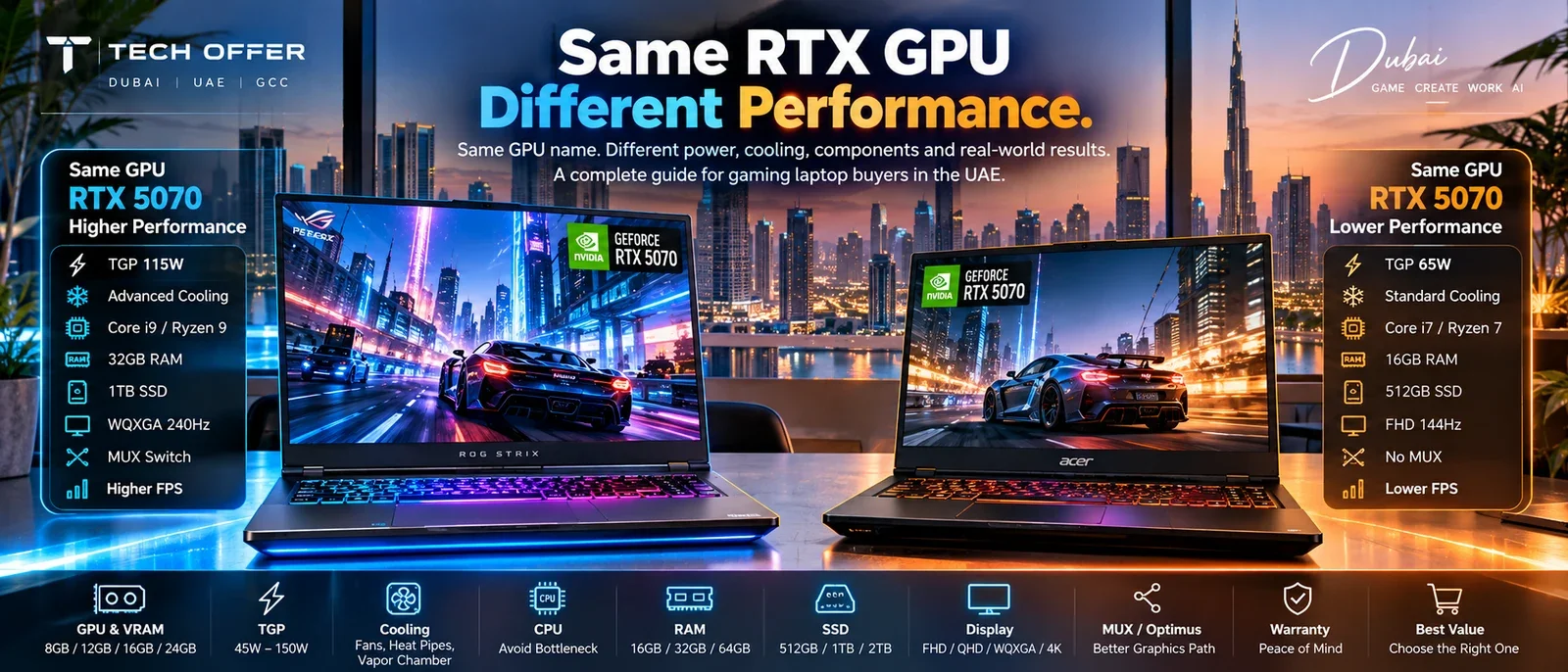
Two gaming laptops can carry the same NVIDIA GeForce RTX GPU in their specifications and still deliver noticeably different performance.
That is confusing when you are shopping. You find one laptop with an RTX 5070 and another with an RTX 5070. One costs considerably more. The specification sheets look almost identical at a glance. So why pay more?
Because the GPU name is one part of the equation, and not the largest part.
Laptop performance also depends on how much power the GPU is allowed to use, how well the chassis removes heat, which processor is paired with it, how much graphics and system memory it has, what display it is driving, how the manufacturer has configured the power modes, and how the whole machine has been designed to work together.
This matters more in the UAE than in most markets, because you are often choosing between several configurations of the same GPU at very different prices, in a climate that makes cooling work harder.
The good news is that you do not need to be an engineer to compare them properly. You need to know which specifications actually matter.
If two laptops have the same graphics card, why doesn't the graphics card perform the same?
The RTX Number Tells You the Class, Not the Machine
When people compare gaming laptops, the GPU is usually the first thing they look at. That is reasonable. RTX 5060, RTX 5070, RTX 5070 Ti, RTX 5080, RTX 5090 — these names tell you the general performance class.
What they do not describe is the implementation.
A laptop GPU operates within the design limits of the laptop around it. Power configuration, cooling capacity, chassis design and system tuning all affect how that GPU behaves in practice.
So the useful question is not which GPU is better. It is: which version of this GPU is inside this laptop, and how is this laptop designed to run it?
That single change in question is what separates a good purchase from an expensive disappointment.
What TGP Actually Means
You will see the term TGP on laptop graphics specifications. It stands for Total Graphics Power, and it describes the power available to the laptop graphics subsystem, measured in watts.
Manufacturers set it, not NVIDIA. They set it based on how much heat the chassis can remove, how large a power adapter they are willing to ship, and how much fan noise their customers will accept.
A higher power limit can allow a GPU to sustain higher performance. It is not a magic number that guarantees a faster laptop, because the rest of the system still has to support it.
So when you see RTX 5070 on a listing, do not stop there. Look for the complete configuration.
Why Two Identical RTX Laptops Can Feel Different
Imagine two laptops. Both list the same GPU and the same amount of graphics memory. On paper they are the same.
Now imagine one of them has a higher GPU power limit, a larger cooling assembly, a more capable processor, better airflow, a performance-oriented power profile, a MUX switch, and a power adapter sized for the job — while the other is designed to be thinner, quieter and easier to carry.
They are both accurately described as RTX 5070 laptops. They are not the same machine.
This is why a specification sheet should be read as a complete system rather than a list of isolated numbers.
TGP Matters, But TGP Alone Is Not Enough
It is tempting to think higher TGP equals faster laptop. That is directionally useful and incomplete.
A laptop has to be able to cool the power it is using. If the cooling system cannot hold temperatures, the machine reduces clocks or power to protect itself. The headline wattage becomes a number the laptop cannot sustain.
So the practical question is not what is the maximum TGP. It is: can this laptop sustain the performance its hardware is capable of delivering? The answer varies considerably from one design to another.
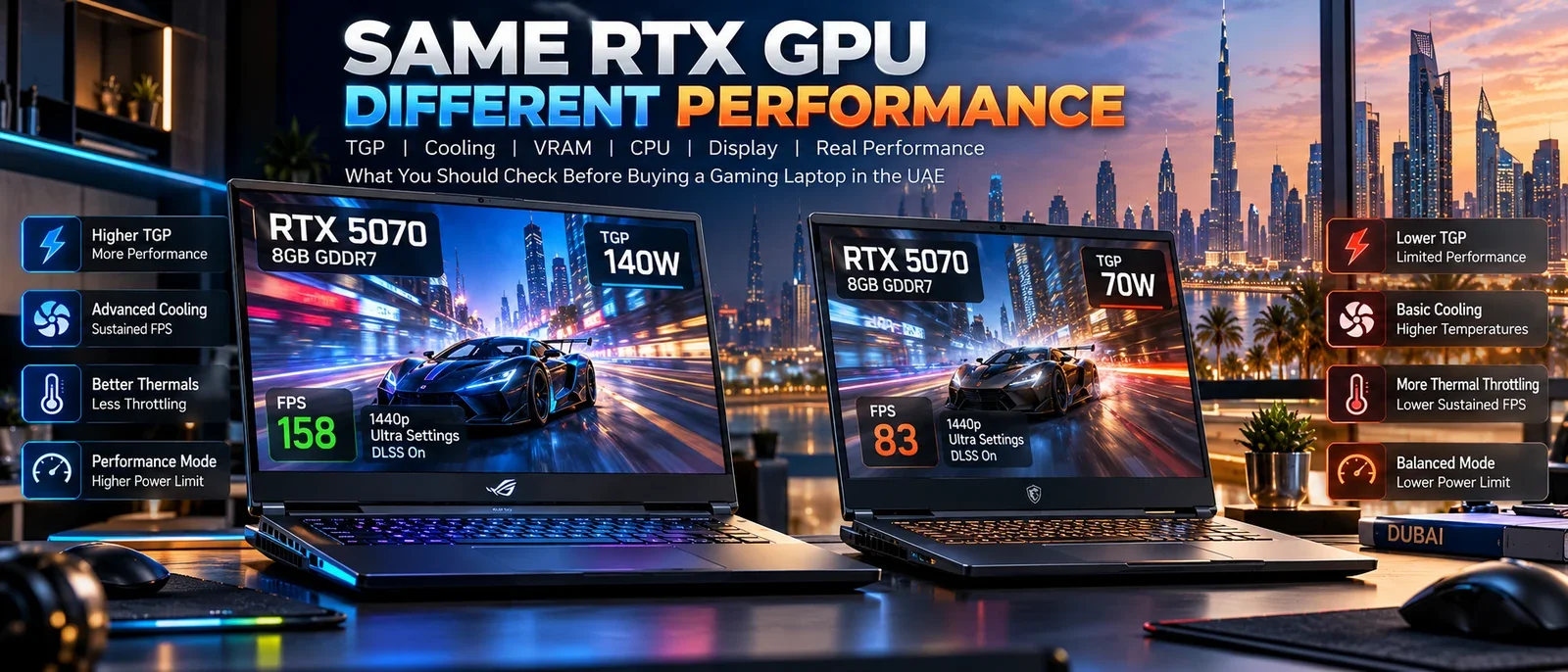
Cooling Is Part of Performance, Not a Comfort Feature
Gaming laptops generate a great deal of heat, and the processor and GPU are often working hard at the same time — in demanding games, in rendering, in AI workloads, in long creative sessions.
The cooling system has to move that heat out of the chassis. This is why two laptops with similar hardware can behave very differently across a five-minute benchmark and a two-hour gaming session.
A short benchmark tells you about peak performance. A long workload tells you about sustained performance. When you are buying a machine to keep for several years, the second number is the one that matters.
What you are actually paying for in the more expensive machine: more heat pipes and thicker ones, a vapour chamber instead of pipes on higher-end models, better thermal interface material, larger fans with more blades, and exhaust vents on more sides of the chassis. None of it appears in a headline specification. All of it decides what you keep.
A Gaming Laptop Is Not a Desktop in a Smaller Box
A desktop has far more physical space for cooling and power delivery. A laptop has to balance performance, temperature, fan noise, battery life, size, weight and portability all at once.
Manufacturers make different decisions depending on what the laptop is for. A large gaming laptop may prioritise sustained performance. A thin performance laptop may prioritise portability. Neither approach is wrong.
The important thing is knowing which one you are buying.
What This Means in Dubai and the UAE
Cooling performance is always measured relative to the air going into the machine, and that is your room rather than a fixed number.
Most laptop reviews are produced in test environments around 20 to 22 degrees. A living room in Dubai in July, with the air conditioning working against the afternoon, starts higher. Every degree of ambient temperature is a degree of cooling headroom the machine no longer has.
This does not mean gaming laptops cannot perform well here. Modern machines are designed to operate across a wide range of conditions. It does mean that cooling quality is worth more in this market than in a cooler one, particularly for long, demanding sessions.
Practically, in the UAE:
- Expect to sit slightly below published benchmark figures in summer. That is normal, not a fault.
- Treat a generous cooling system as a higher priority than a review written in Europe would suggest.
- Keep the intake vents clear and the exhaust areas unobstructed.
- Do not leave a laptop in a parked car. Interior temperatures here exceed the storage range most manufacturers publish.
Your Desk Affects Performance Too
This is the simplest thing most buyers overlook.
A powerful gaming laptop needs airflow. Avoid blocking the intake vents underneath. Avoid gaming on a bed, sofa or thick blanket, where the machine draws its cooling air through fabric. Keep the ventilation areas reasonably clean, and leave space behind and beside the exhaust.
You do not necessarily need an expensive cooling pad. Good airflow around the laptop is the first thing to get right, and it costs nothing.
VRAM Is a Separate Question From GPU Speed
Graphics memory matters because modern games and creative applications can use a lot of it. RTX 50 Series laptop GPUs ship with different memory configurations depending on the model.
The important distinction: VRAM capacity is not the same thing as GPU processing power. More graphics memory does not automatically make one GPU faster in every game.
VRAM becomes important as you increase resolution, texture quality, ray tracing, project size, AI workloads and high-resolution assets.
So the question is not how much VRAM does it have. It is: how much VRAM does my workload actually need?
8GB, 12GB, 16GB or 24GB?
There is no universal answer. Someone playing esports titles at 1080p has different requirements from someone playing demanding AAA games at higher resolutions, and both differ from someone running local AI models or large 3D projects.
A reasonable way to think about it:
- 8GB — perfectly workable for many 1080p gaming configurations and mainstream workloads.
- 12GB — additional headroom for demanding games and higher-resolution work.
- 16GB — increasingly attractive for high-end gaming, creative workloads and large graphics assets.
- 24GB — relevant when you have a workload that can genuinely use it: high-end graphics, certain AI workloads, professional applications, very demanding gaming.
Do not buy graphics memory because the number is larger. Buy it because your workload benefits.
The Display Changes the GPU You Actually Need
This is another reason two laptops cannot be compared by GPU name.
Consider a laptop with an RTX 5060 driving a 1080p 165Hz display, against one with an RTX 5070 driving a 1600p 240Hz display. The second has the more powerful GPU, and it is also being asked to render far more pixels, far more often.
So the correct question is not which GPU is better. It is: which GPU is appropriate for the display and the performance level I want?
A powerful GPU paired with a high-resolution, high-refresh panel makes sense for one buyer. Another gets better value from a less expensive GPU and a 1080p display, and spends the difference on memory or storage.
Resolution and Refresh Rate Change the Conversation
When comparing gaming laptops, look at the resolution — 1080p FHD, 1200p WUXGA, 1440p QHD, 1600p WQXGA or 4K — and then at refresh rate, response time, brightness, colour coverage, panel technology and adaptive sync support.
A 240Hz display is not automatically better for every buyer. If you mostly play games where your system cannot consistently produce very high frame rates, paying specifically for an extremely high refresh rate may not be the best use of the budget.
Brightness deserves particular attention in this market. A dim panel is difficult to use near a window in UAE daylight, and brightness is one of the specifications most often left off a retail listing.
Do Not Ignore the CPU
A powerful GPU still needs a suitable processor. Some games are heavily GPU-bound. Others become CPU-limited, particularly at lower resolutions and high frame rates.
Processor performance also matters when you are streaming, compiling, editing video, running virtual machines, or simply running productivity applications alongside a game.
This is why the same GPU paired with two different processors should not be treated as two equivalent systems. The correct comparison is always the complete configuration.
RAM Matters More Than the GPU Line Suggests
For a straightforward gaming workload, 32GB does not double performance over 16GB.
But memory capacity becomes important when the workload includes gaming alongside browser tabs and chat applications, streaming, video editing, large image projects, development environments, virtual machines or AI applications.
The point is not that everyone needs 32GB. It is that system memory should match what you actually do with the machine — and if the laptop allows memory upgrades, that changes the long-term value of the purchase considerably. Our guide on comparing laptop prices in Dubai covers why soldered memory is a decision you cannot reverse.
SSD Capacity Is Part of the Decision
Modern games are very large, and creative projects are larger still.
A 512GB SSD looks fine on a specification sheet. After Windows, applications and a few large games, the free space disappears surprisingly quickly. For many buyers 1TB is a more comfortable starting point, and 2TB makes sense if you keep large games, video projects or datasets locally.
Check the capacity, the interface, the number of storage slots and whether the drive can be replaced or added to later.
MUX Switch and Advanced Optimus: The Detail Most Buyers Miss
There is one more technical feature worth checking, and it is frequently absent from retail listings.
In some laptops the integrated graphics are involved in driving the internal display, while the discrete NVIDIA GPU handles rendering. That adds a step to the graphics path.
A display multiplexer, known as a MUX switch, allows the system to switch which GPU owns the internal display. Technologies such as Advanced Optimus manage that switch dynamically, balancing performance against battery life.
You do not need to understand every technical detail. You need to check whether the laptop supports a MUX switch, Advanced Optimus or a manufacturer-specific equivalent, and how it works on that particular model. If gaming performance is the priority, this is worth five minutes of reading.
Power Modes Change the Results
Most gaming laptops offer several operating modes — Quiet, Silent, Balanced, Performance, Turbo, and other manufacturer-specific names.
These modes change fan speed, processor power, GPU power, temperature targets, acoustics and battery consumption. Which means a benchmark result is only meaningful when you know the conditions it was produced under.
When comparing benchmark numbers online, ask: which power mode was used, was the laptop plugged in, was the discrete GPU fully enabled, what resolution was tested, and which version of the game or benchmark was it. Without that context, the numbers can mislead you.
Battery Power Is a Different Machine
A gaming laptop connected to its charger is not the same machine running on battery.
High-performance laptops are designed around substantial power delivery. On battery, power consumption is normally restricted to preserve runtime and protect the cells.
So compare plugged-in performance against plugged-in performance. Never judge what a laptop can do from a battery benchmark.
The Power Adapter Is Part of the Specification
A powerful gaming laptop needs an adapter capable of supplying the whole system.
If you are buying for travel or business use, check the adapter wattage, its physical size, the charging method, whether USB-C charging is supported, and whether USB-C charging supports full performance or only lighter workloads.
A USB-C charger can be convenient without being a replacement for the proper adapter. Check the exact model specification rather than assuming.
A Better Way to Compare Two Gaming Laptops
Put them side by side and fill this in. Once it is complete, the price difference usually explains itself.
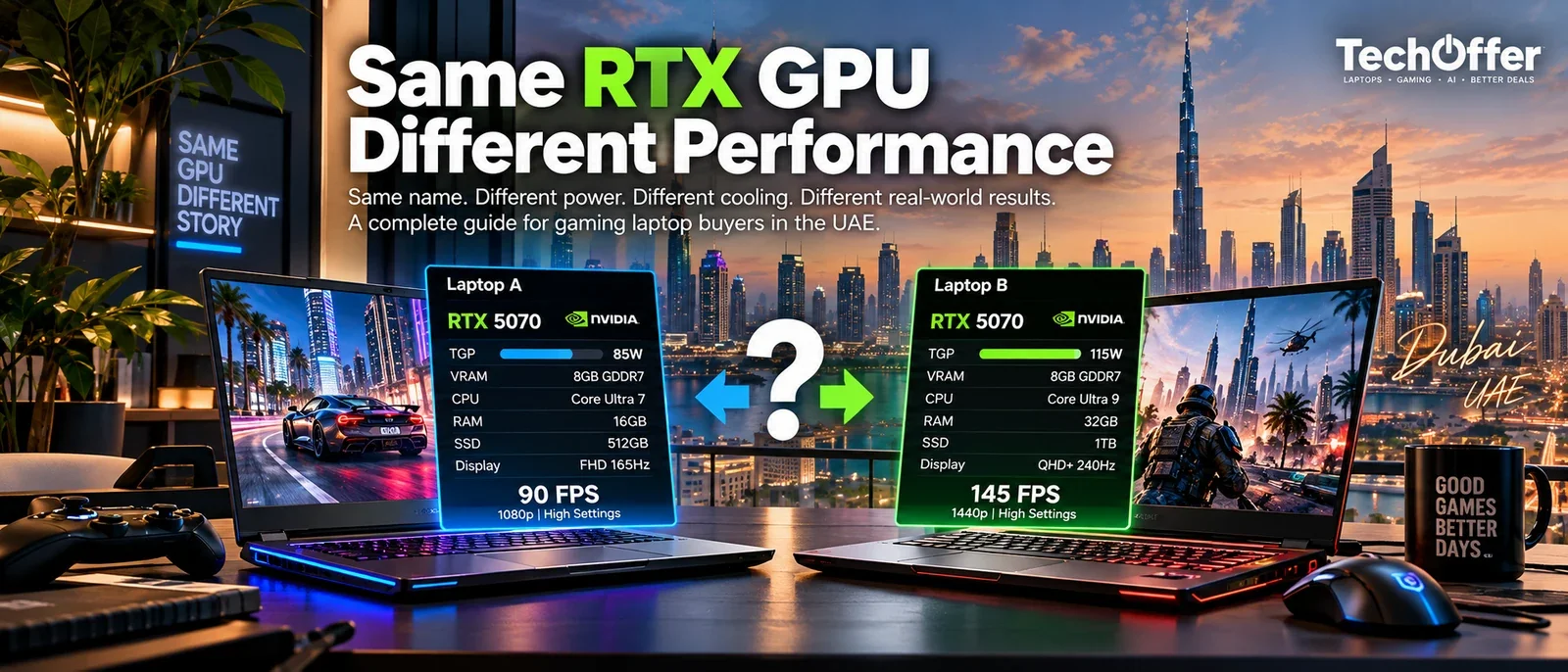
| What to compare | Laptop A | Laptop B |
|---|---|---|
| Exact model number | ||
| GPU | ||
| VRAM | ||
| GPU power / TGP | ||
| CPU | ||
| RAM | ||
| RAM upgradeability | ||
| SSD | ||
| Storage expansion | ||
| Display resolution | ||
| Refresh rate | ||
| Brightness | ||
| MUX / Advanced Optimus | ||
| Cooling design | ||
| Power modes | ||
| Battery | ||
| Weight | ||
| Warranty | ||
| Price |
Do Not Compare Only the Price
Suppose Laptop A is AED 6,999 and Laptop B is AED 7,499. It is easy to conclude that A is AED 500 cheaper.
But if B has a better display, more memory, a larger SSD, a higher GPU power configuration, better cooling, a stronger processor, GPU switching and different warranty terms, then the AED 500 is not a markup. It is a different purchase.
This is why comparing gaming laptops on price alone is the most reliable way to buy the wrong one.
RTX 5060 or RTX 5070?
There is no universal answer. It depends on your resolution, your games, your workload, the specific laptop configurations and the price difference.
If you are targeting 1080p gaming and the RTX 5060 machine already delivers what you need, spending more may not improve your experience enough to justify it. If you want higher settings, higher resolution or more headroom for the future, stepping up makes sense.
And if you are comparing a high-power RTX 5060 laptop against a power-limited RTX 5070 laptop, the badges still do not settle it. The configuration does.
RTX 5070 or RTX 5070 Ti?
Here the GPU configuration and memory capacity themselves differ, and that additional graphics memory can matter in workloads using larger assets.
But do not buy the Ti because the name is higher. Look at the exact laptop: its GPU power, its cooling, its display, its processor, its memory and its price. Then decide whether the additional capability is useful for what you actually do.
What About RTX 5080 and RTX 5090?
At the high end the same principle applies more strongly, not less.
An RTX 5090 laptop is a very powerful machine, and not every buyer needs one. If you mainly play esports titles at 1080p, the highest-end GPU will not change your experience much.
If you work with demanding 3D applications, high-resolution video, GPU rendering, local AI workloads or high-resolution gaming, the additional capability becomes genuinely relevant.
The question is not what is the most powerful laptop I can buy. It is: what level of performance will I actually use?
Start With the Workload, Not the GPU
Before looking at any graphics card, define what the machine is for.
- Competitive gaming — high frame rates, a fast display, low latency, a sensible CPU and GPU balance.
- AAA gaming — GPU, VRAM, cooling, display resolution, sustained performance.
- Gaming and work — CPU, memory, battery, display, keyboard, portability.
- Gaming and content creation — GPU, VRAM, CPU, memory, display quality, SSD capacity.
- Local AI — GPU, VRAM, system memory, memory bandwidth, software compatibility, cooling.
The same laptop can be excellent for one of these and unnecessary for another. Our gaming laptop buying guide works through the use cases in more detail.
The Same RTX Test
When you see two laptops with the same RTX GPU, do not compare the price yet. Ask these eleven questions first:
- Is the GPU power configuration the same?
- Is the cooling system comparable?
- Is the CPU comparable?
- Is the system memory the same, and is it upgradeable?
- Is the VRAM the same?
- Is the display resolution the same?
- Is the refresh rate the same?
- Does one have a MUX switch or Advanced Optimus?
- Are the performance modes similar?
- Is the SSD capacity the same?
- Is the warranty the same, and is it serviced in the UAE?
If several answers differ, you are not comparing two identical laptops. You are comparing two different systems that happen to share a GPU name.
A Simple Rule for Buying a Gaming Laptop in the UAE
You do not need to memorise every specification. Remember the order:
The GPU name tells you the class. TGP tells you the power available. Cooling tells you whether that power can be sustained. VRAM tells you how much graphics memory you have. The CPU decides whether the rest of the system keeps up. The display decides how much performance you actually need. RAM and storage decide how comfortable the machine is to live with. And the exact model number tells you what you are really buying.
That is a far better comparison than asking which one has the bigger RTX number.
Before You Buy
A gaming laptop is more than its graphics card. The RTX number matters. It is simply the beginning of the comparison rather than the end of it.
Two laptops with the same GPU can be designed for entirely different purposes. One prioritises portability and battery life. Another prioritises sustained gaming performance. A third is built as a workstation for demanding creative or AI work. All three are legitimate machines. Only one of them is right for you.
So the next time you see two gaming laptops with the same RTX GPU, do not ask only which one is cheaper. Ask what exactly you are getting for the difference, then check the GPU power, the cooling, the CPU, the VRAM, the memory, the display, the GPU switching and the exact model number, and look at the price last.
That is how you compare gaming laptops properly, and how you avoid paying for specifications you will never use while overlooking the ones that decide your experience every day.
Browse gaming laptops at TechOffer — every listing shows the full specification, so you can run the Same RTX Test before you buy.
Frequently Asked Questions
Can two laptops with the same RTX GPU have different performance?
Yes. The same laptop GPU can be configured differently depending on power limits, cooling capacity, system design and power-management settings. The GPU name describes the class of hardware, not the implementation.
What is TGP in a gaming laptop?
TGP means Total Graphics Power, the power available to the laptop graphics subsystem, measured in watts. It is set by the laptop manufacturer rather than by NVIDIA, and it should be considered alongside cooling, CPU and chassis design rather than on its own.
Is a higher TGP always better?
Not automatically. Higher available GPU power can enable higher sustained performance, but the result depends on the cooling system, power management and overall laptop design. A high power limit the chassis cannot cool does not deliver the performance it suggests.
Why does cooling matter so much in a gaming laptop?
Gaming workloads generate substantial heat. A capable cooling system allows the laptop to hold its performance through longer sessions instead of reducing power or clock speeds to manage temperature.
Does an RTX 5070 mean the same performance in every laptop?
No. Two RTX 5070 laptops can differ in power configuration, cooling, processor, display and system tuning. The complete configuration determines the result.
How do I find the TGP of a laptop before buying?
Check the manufacturer specification sheet for Graphics Power, Total Graphics Power or Maximum Graphics Power. It is often missing from retail listings. If no figure is published anywhere by the manufacturer, do not assume it matches another laptop using the same GPU.
How much VRAM do I need in a gaming laptop?
It depends on your games and applications, the resolution you play at and the settings you want. Higher resolutions, higher texture quality, ray tracing and large creative or AI workloads all increase graphics memory requirements.
Is 8GB of VRAM enough for gaming?
It can be enough for many gaming scenarios, particularly at 1080p. Demanding titles, higher resolutions and higher-quality assets increase the requirement, so match the capacity to what you actually run.
Does RAM affect gaming laptop performance?
Yes, though the impact depends on the workload. Capacity matters most when gaming is combined with streaming, content creation, development work, virtual machines or other memory-heavy applications.
Does the display affect which GPU I should buy?
Yes. Higher resolutions require the GPU to render far more pixels. A laptop built around 1600p or 4K gaming needs considerably more GPU capability than one intended mainly for 1080p.
What is a MUX switch?
A MUX, or display multiplexer, allows a laptop to switch whether the integrated or the discrete GPU drives the internal display. This affects the graphics path and can affect gaming performance.
What is Advanced Optimus?
Advanced Optimus is NVIDIA technology that manages switching between integrated and discrete graphics automatically, balancing performance against battery life without requiring a restart.
Does gaming laptop performance change on battery?
It can change significantly. Gaming laptops normally restrict power consumption on battery, so plugged-in performance should never be assumed when gaming without the adapter connected.
Is an RTX 5070 always better value than an RTX 5060?
Not necessarily. It depends on your resolution, games, workload, the specific laptop configurations and the price difference. If an RTX 5060 system already meets your requirements, the additional spend may not improve your experience enough to justify it.
Does the UAE climate affect gaming laptop performance?
Yes. Cooling is measured against the temperature of the air entering the machine, and ambient temperatures here are higher than in the environments where most reviews are produced. Expect to sit slightly below published figures in summer, and treat cooling capacity as more valuable in this market.
Do laptop cooling pads help in Dubai?
They help mainly by restoring the intake clearance that a flat desk removes, which matters more in a warm room. They do not raise the laptop power limit, so they cannot make a low-power configuration behave like a high-power one.
Should I choose a gaming laptop based only on its GPU?
No. The GPU is among the most important components for gaming, but GPU power, cooling, CPU, VRAM, RAM, display, storage, power modes and the exact model configuration all shape the result.
What should I check before buying a gaming laptop in the UAE?
Check the exact model number, the GPU and VRAM, the GPU power configuration, the processor, the cooling design, memory and upgradeability, SSD capacity and expansion, the display, GPU switching technology, power modes, warranty and regional configuration, return terms, and the final VAT-inclusive price.
Have a Question?
Have a question about this article or something related to the topic? Feel free to ask. We will do our best to help.